Razer Viper V4 Pro vs Razer Naga V3 Pro
The Razer Viper V4 Pro offers a lightweight, high-polling-rate design for low-latency FPS play, while the Naga V3 Pro supplies modular side plates and a palm-grip shape for MMO and macro-heavy sessions. Viper is the choice for competitive shooters needing fast, cable-free input; Naga suits players who need many programmable buttons and a larger grip.
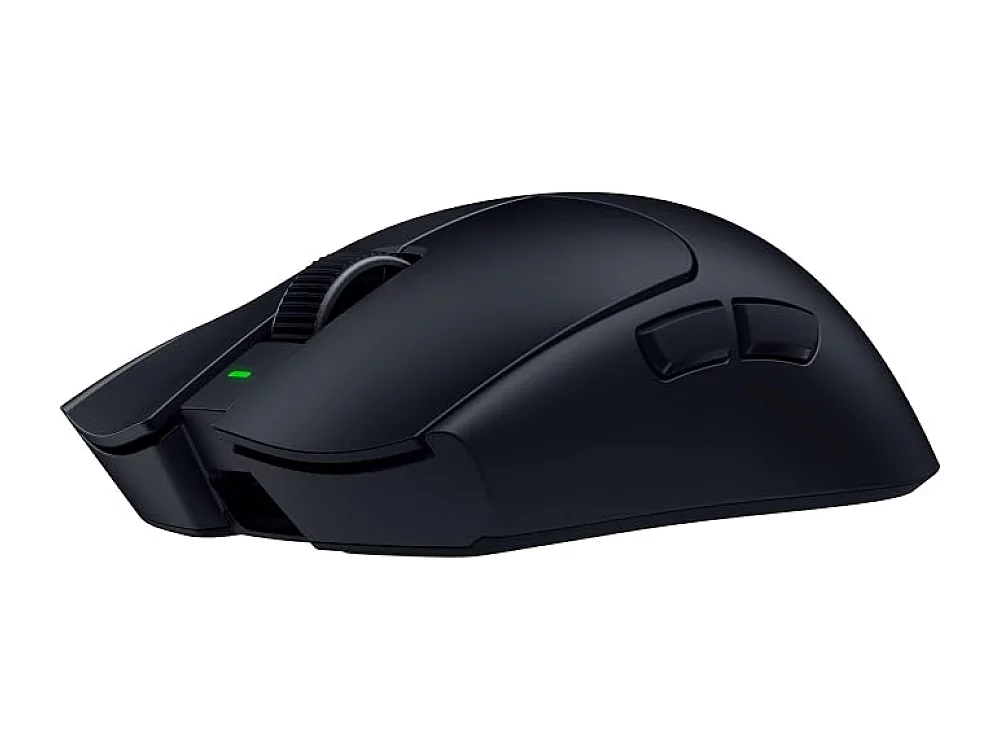 VS
VS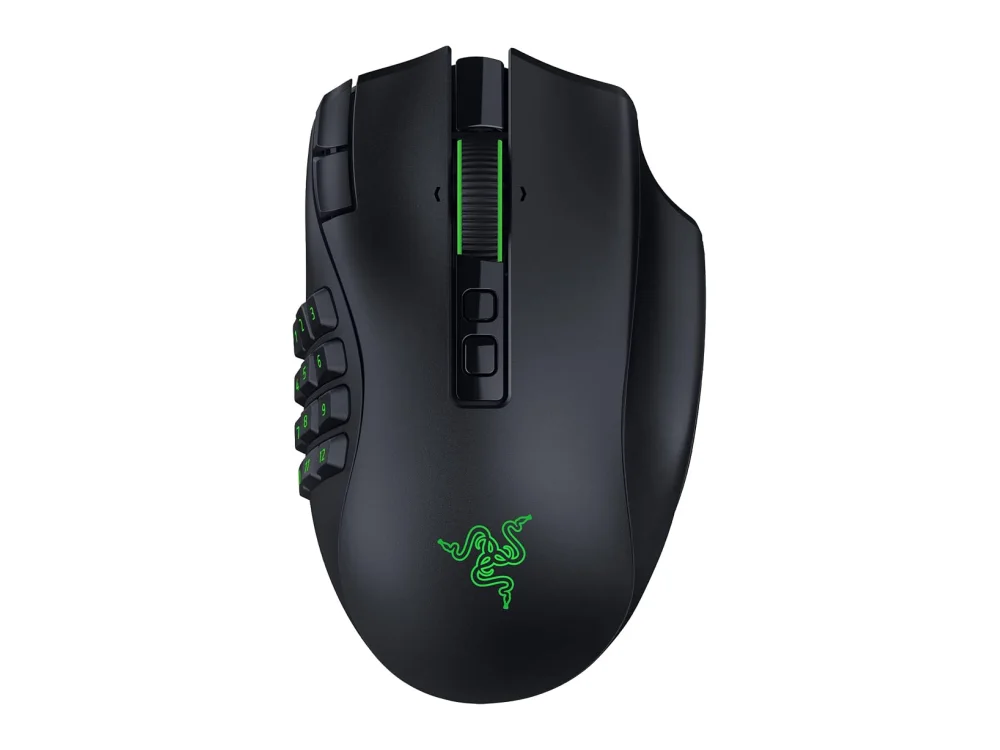
Razer Viper V4 Pro
Best Overall / Competitive FPSThe Razer Viper V4 Pro is ideal for gamers who prioritize low input lag and a lightweight feel for competitive FPS titles. Its 8,000Hz polling rate and cable-free design make it a solid pick for high-refresh-rate shooters.
Razer Naga V3 Pro
Best MMO / VersatileThe Razer Naga V3 Pro is best for players who need many programmable keys and a palm-grip shape for MMO or hybrid play. Its modular side plates give flexibility for different game genres.
The differences that matter
- Polling rate – Viper 8,000Hz, Naga no polling rate listed
- Ergonomics – Viper low-profile ambidextrous, Naga wide palm-grip
- Button count – Viper has built-in buttons, Naga offers 2/6/12 interchangeable side plates
- Footprint – Viper compact, Naga larger footprint
- Weight – Viper lightweight, Naga heavier when side plates attached
- Wireless tech – both wireless, Viper uses USB-C receiver, Naga uses built-in module
Specs side by side
| Razer Viper V4 Pro | Razer Naga V3 Pro | |
|---|---|---|
| Brand | Razer | Razer |
| Best For | Best Overall / Competitive FPS | Best MMO / Versatile |
| Key Specs | 50,000 DPI · 8,000Hz · wireless | 50K sensor · 2/6/12-button side plates · wireless |
Pros and cons
Razer Viper V4 Pro
- 50,000 DPI sensor provides fine cursor control.
- 8,000 Hz polling rate reduces input lag.
- Wireless operation removes cable drag.
- Lightweight design suited for fast movements.
- Razer’s configurable buttons allow macro assignments.
- Battery will need regular recharging during long sessions.
- Requires a compatible USB-C receiver, adding another dongle.
- Limited ergonomic shaping; not ideal for palm grips.
Razer Naga V3 Pro
- 50,000 DPI sensor for high precision
- Interchangeable side plates for 2, 6, or 12 extra buttons
- Fully wireless operation eliminates cable drag
- Solid build quality with a comfortable palm-grip shape
- Larger footprint may not suit small desk spaces
- Battery management required for wireless use
- Weight increases when side plates are attached
Razer Viper V4 Pro vs Razer Naga V3 Pro: questions
Which mouse is better for competitive FPS?
The Viper V4 Pro, with its 8,000Hz polling rate and lightweight profile, is better suited for competitive FPS where low latency is crucial.
Which mouse offers more programmable buttons?
The Naga V3 Pro offers interchangeable side plates with 2, 6, or 12 extra buttons, giving it a clear advantage for MMO or macro-heavy gameplay.
Is upgrading from a wired mouse worth it?
If you need many macros or a palm-grip shape, the Naga V3 Pro is worth the switch; if you focus on FPS and minimal input lag, the Viper V4 Pro offers the best wireless performance. Check battery life and ergonomics on the listings before deciding.
More on Run On Console
We compare what each product's own specs and listing say; we do not show prices because they change every day. We may earn a commission from qualifying purchases.