Razer DeathAdder V4 Pro vs Razer Naga V3 Pro
The Razer DeathAdder V4 Pro is a high-DPI, ergonomic mouse that stays wired-free but heavier, best for FPS and long MMO sessions. The Razer Naga V3 Pro adds modular side plates for many buttons and a palm-grip shape, ideal for MMO or hybrid play. Choose the DeathAdder for pure precision and the Naga for macro-heavy workloads.
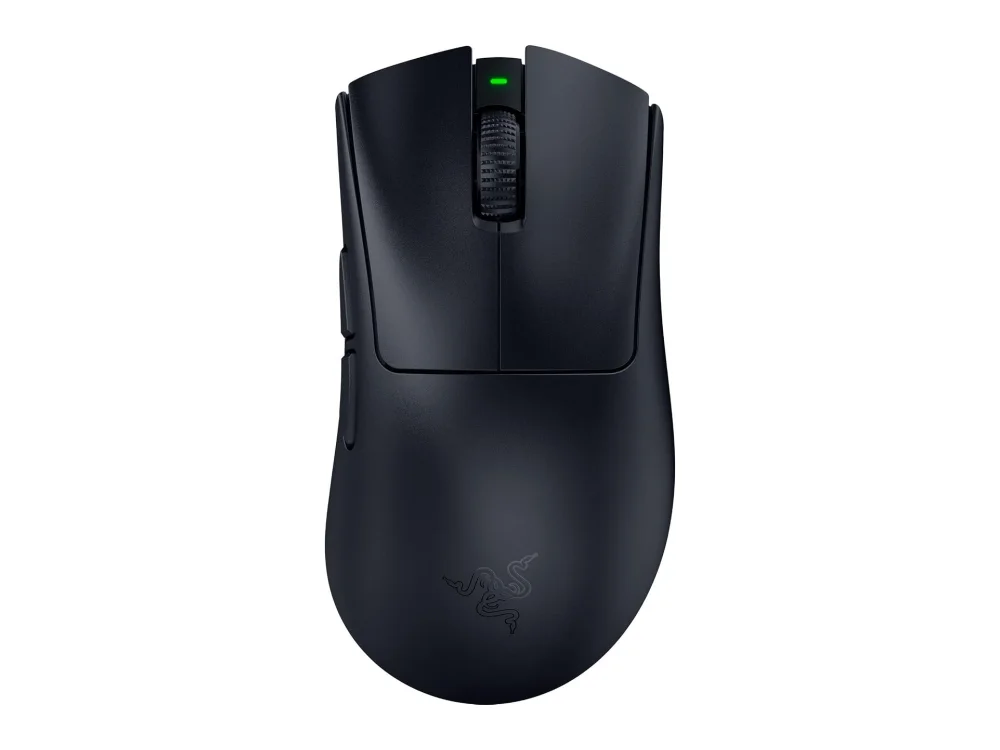 VS
VS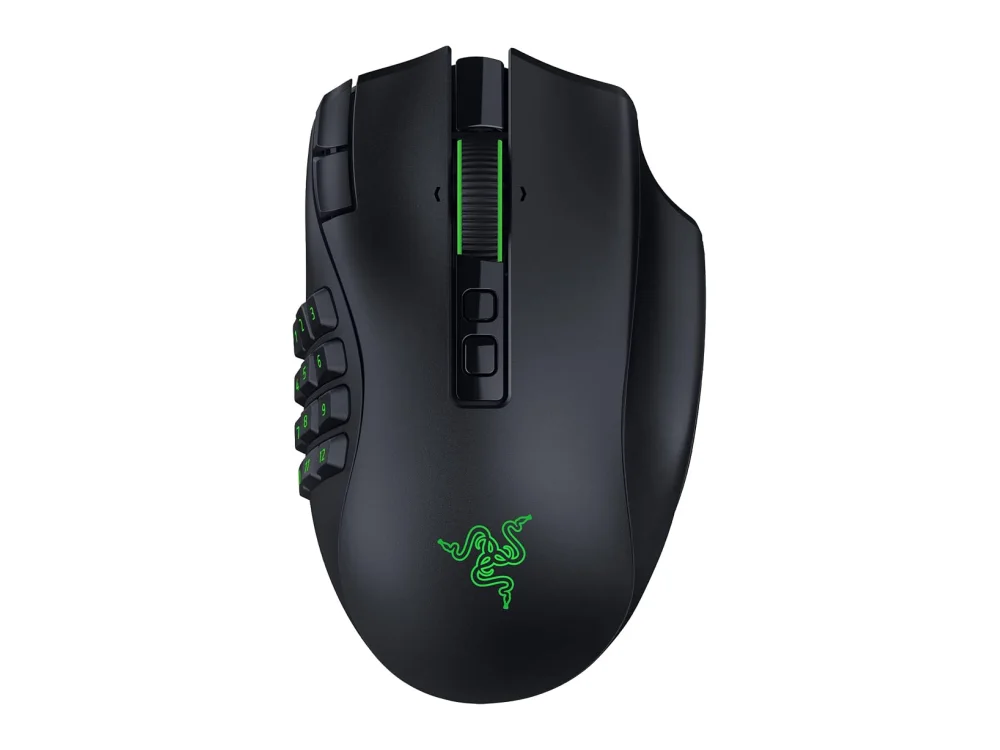
Razer DeathAdder V4 Pro
Best Ergonomic Gaming MouseThe Razer DeathAdder V4 Pro is best for players who need a high-DPI, ergonomic mouse for FPS or long MMO sessions and want a wireless option without extra buttons. Its solid build and low input lag make it a solid choice for desk-bound setups.
Razer Naga V3 Pro
Best MMO / VersatileThe Razer Naga V3 Pro suits MMO players who need many programmable keys and a palm-grip shape, especially when wireless is desired. Its modular side plates let you switch between 2, 6, or 12 buttons without tools.
The differences that matter
- DeathAdder V4 Pro offers 45,000 DPI while Naga V3 Pro offers 50,000 DPI.
- DeathAdder V4 Pro has an ergonomic shape for wrist comfort; Naga V3 Pro has a palm-grip shape.
- DeathAdder V4 Pro has no extra buttons; Naga V3 Pro provides interchangeable 2, 6, or 12-button side plates.
- DeathAdder V4 Pro has an 8,000Hz polling rate; Naga V3 Pro’s polling rate is not listed.
- Both are wireless; DeathAdder’s build is solid and heavier than the Naga when side plates are attached.
Specs side by side
| Razer DeathAdder V4 Pro | Razer Naga V3 Pro | |
|---|---|---|
| Brand | Razer | Razer |
| Best For | Best Ergonomic Gaming Mouse | Best MMO / Versatile |
| Key Specs | 45,000 DPI · 8,000Hz · wireless | 50K sensor · 2/6/12-button side plates · wireless |
Pros and cons
Razer DeathAdder V4 Pro
- Ergonomic shape reduces wrist strain
- Wireless operation removes cable clutter
- 45,000 DPI sensor offers fine granularity
- 8,000 Hz polling provides low input lag
- Solid build quality
- Wireless adds potential latency compared to wired
- Higher weight than some ultra-light mice
- Limited to right-handed grip
Razer Naga V3 Pro
- 50,000 DPI sensor for high precision
- Interchangeable side plates for 2, 6, or 12 extra buttons
- Fully wireless operation eliminates cable drag
- Solid build quality with a comfortable palm-grip shape
- Larger footprint may not suit small desk spaces
- Battery management required for wireless use
- Weight increases when side plates are attached
Razer DeathAdder V4 Pro vs Razer Naga V3 Pro: questions
Which is better for FPS?
The DeathAdder V4 Pro is better for FPS because its 8,000Hz polling rate and ergonomic shape reduce input lag and wrist strain. The Naga V3 Pro’s larger footprint and lack of a high polling rate make it less suitable for fast-paced shooters.
What is the main difference?
The main difference is that the DeathAdder focuses on ergonomic precision with a high DPI sensor, while the Naga adds modular side plates for many buttons to support MMO and hybrid play.
Is the upgrade worth it?
If you need more buttons for MMO or hybrid play, the Naga is worth it. Otherwise, the DeathAdder’s higher DPI and polling rate may be sufficient.
More on Run On Console
We compare what each product's own specs and listing say; we do not show prices because they change every day. We may earn a commission from qualifying purchases.